For Uber, Lyft, DoorDash & Instacart drivers
The app says $28/hr. You made $13.30.
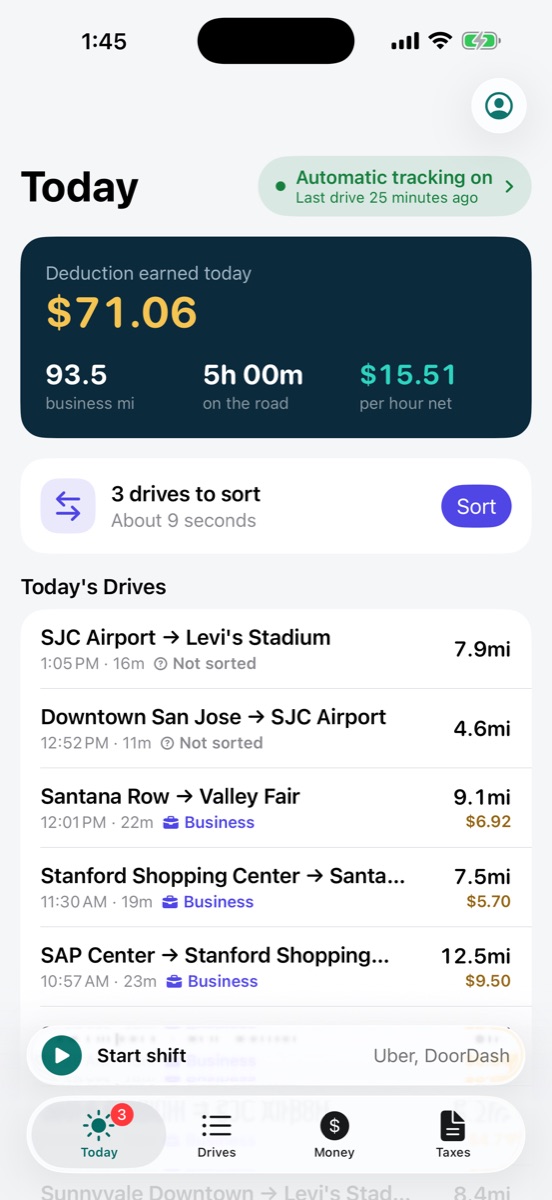
Navia tracks every mile automatically and subtracts what your car really costs you. At the end of the day you see your true hourly wage, not the number the platform wants you to see.
For iPhone · No account needed · Your data stays on your phone
How it works
Drive like normal. Type in one number at night.
No new habits. Navia runs in the background while you work, and asks for one thing a day: what the apps paid you.
Miles log themselves
Navia uses GPS and motion to detect every drive in the background, so you never touch your phone behind the wheel. Working a shift? One tap starts it, and your waits between rides count too.
Enter the day's earnings
Copy your total from each driver app once a day. Missed a day? Log it later. We never ask for your Uber or Lyft password.
See what you kept
Navia subtracts your per-mile car cost and shows net profit, true hourly wage and dollars per mile, today and year to date.
Sorting drives
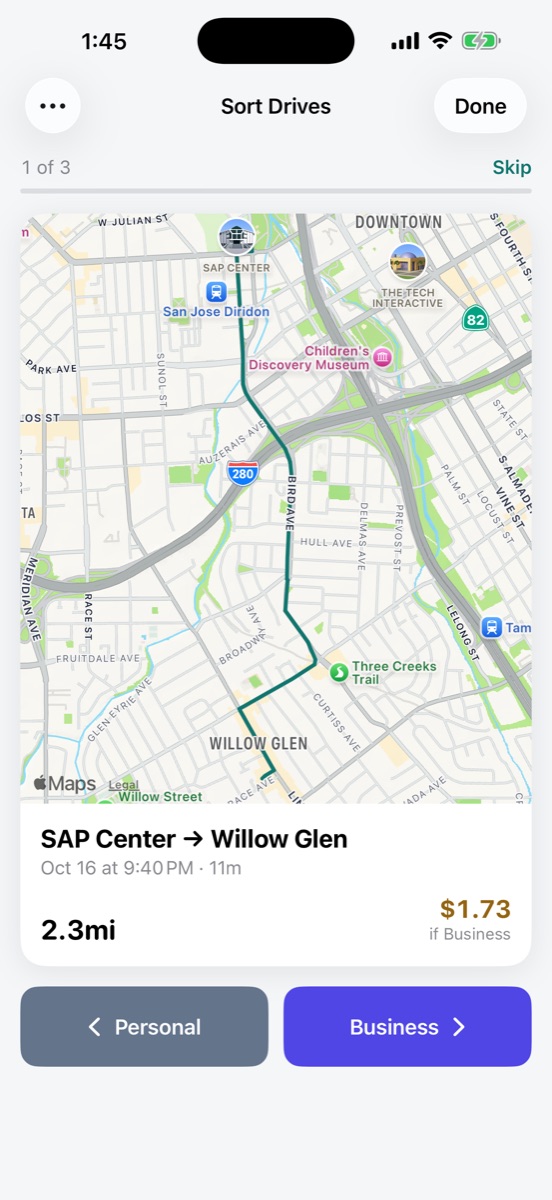
Business or personal? One swipe.
Every drive Navia records waits for one decision. Set your usual work hours and most drives sort themselves.
- 1Swipe right for BusinessIt counts toward your deduction and your earnings math.
- 2Swipe left for PersonalIt stays in your log, out of your totals.
- 3Not sure yet? Skip itIt waits for you next time, with nothing lost.
Privacy is the default
Your drives stay on your phone.
No account needed. Your log lives on your iPhone, not on our servers. Want a backup? Optional Cloud Backup keeps a copy in your Navia account.
No passwords, ever
We never ask for your Uber login.
Apps that "sync" your earnings do it by taking your driver account password. Navia doesn't. You type one number a day, and your accounts stay yours.
Try it on your last shift
What did you actually make?
Put in one shift's numbers. The math is the same math Navia does for you every day.
Your true hourly wage
$13.30
Your car cost you 53% of what you earned.
Why don't you sync with Uber automatically?
The platforms don't offer a public earnings API, and the apps that "sync" do it by taking your login. Typing one number a day keeps your account yours.
Does it help at tax time?
Yes. Every business mile is logged with date and distance, and Navia totals your IRS mileage deduction for the year.
Will it drain my battery?
Drive detection runs on the phone's motion chip and only turns on GPS once you're moving in a car.
Can I split personal and work miles?
Yes. Mark a drive personal with one swipe and it drops out of your earnings math and your deduction.
Where is my data stored?
On your iPhone, and in its iCloud backup if that's on. No account needed. Optional Cloud Backup keeps a copy in your Navia account, so a new phone gets your whole log.
Know your number
See what you really make before your next shift.
Automatic mileage, your true hourly wage, and a mileage log that's ready for tax time.
Navia is a record-keeping tool, not tax, legal or accounting advice. Deductions and costs are estimated with the IRS standard mileage rate; what you can deduct depends on your situation. Talk to a tax professional.